Clients book themselves
Through your link, a QR code at the counter or in WhatsApp. Even while you're cutting.

Short appointments and regular clients. Your clients book themselves, even while you are cutting.
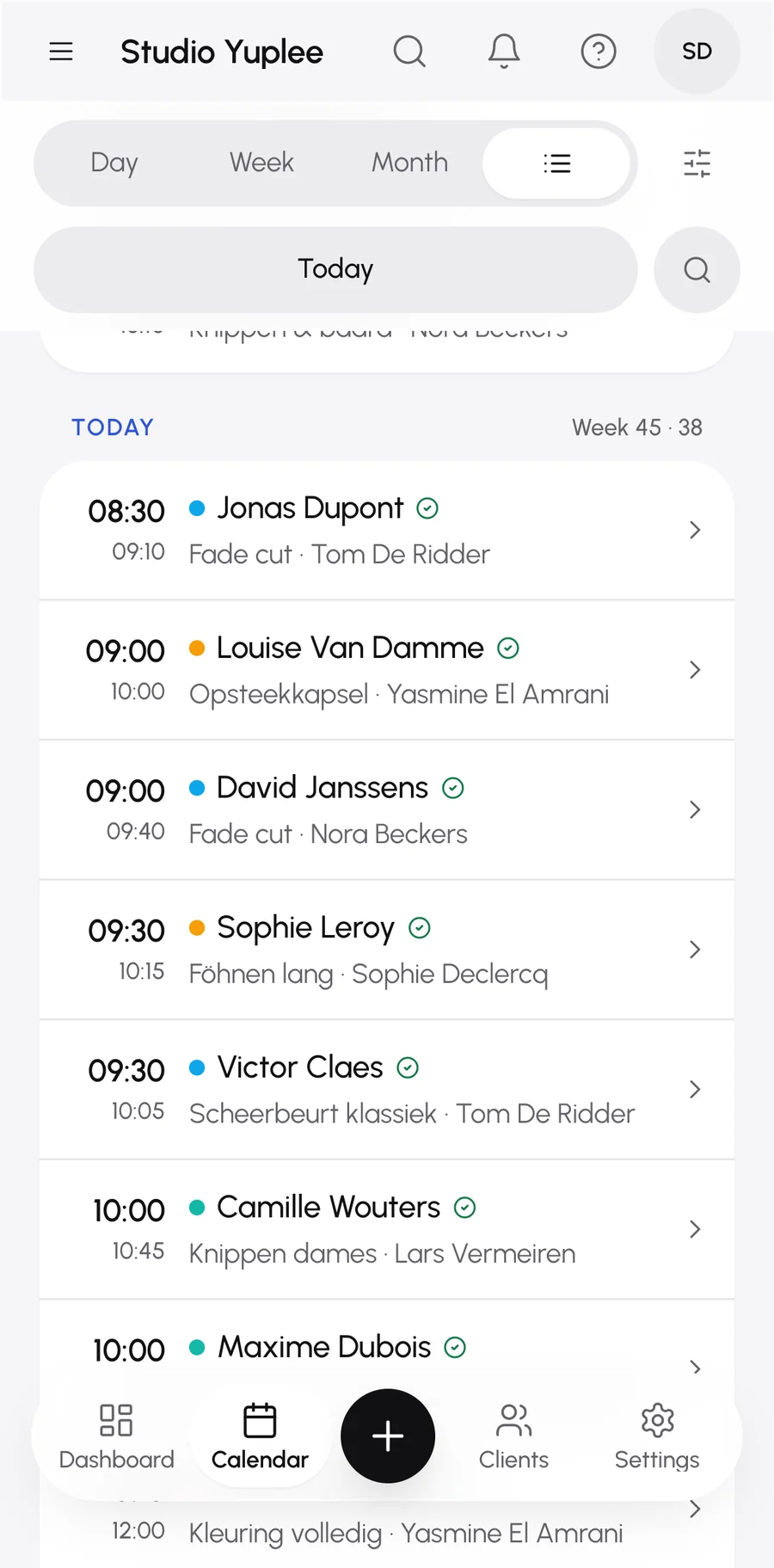
Via your website, a link, a QR code or in WhatsApp.
Your client picks a regular barber, or whoever is free first.
Booking history and rebooking in one tap.
Cash, card, bank transfer or gift voucher.
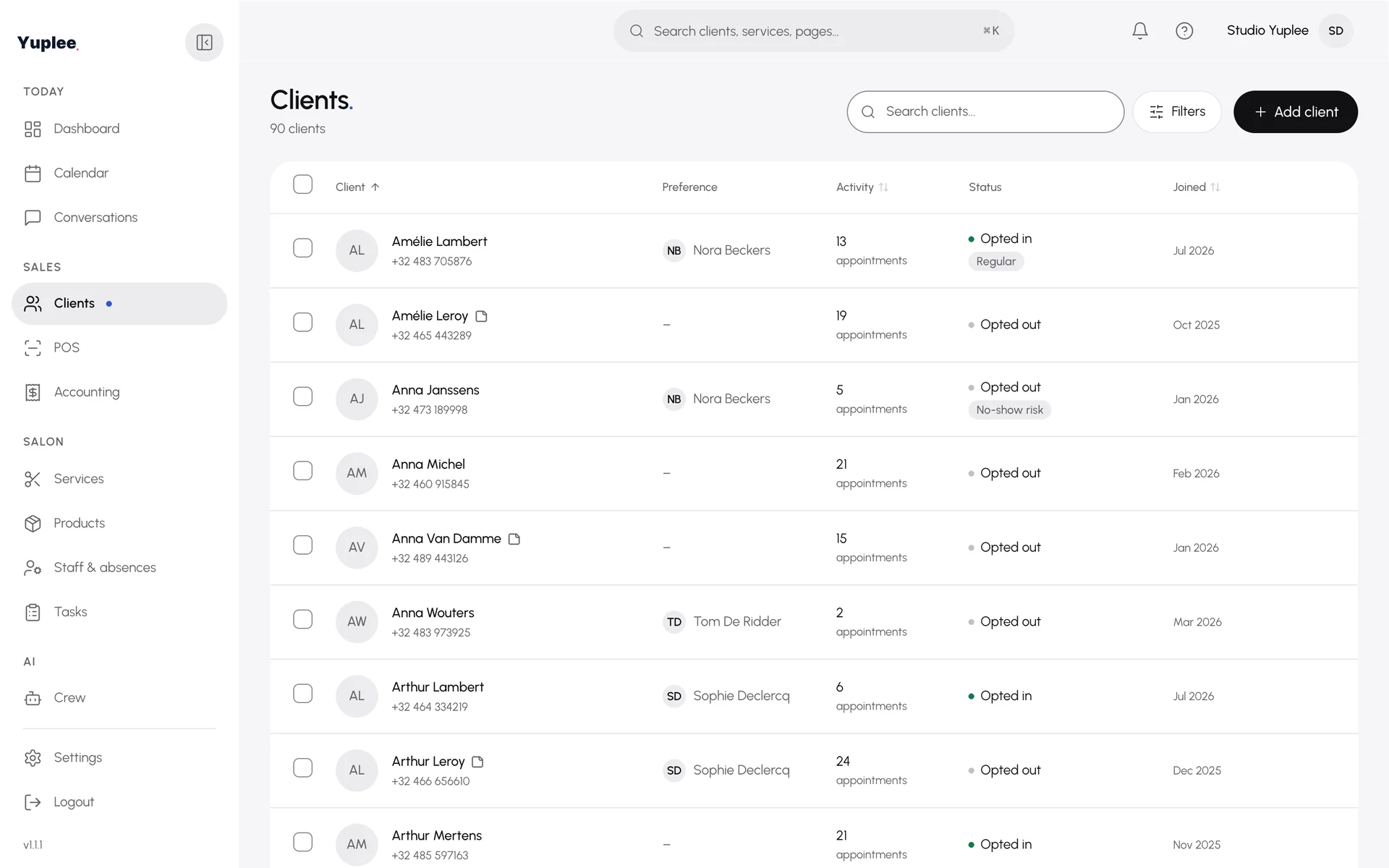
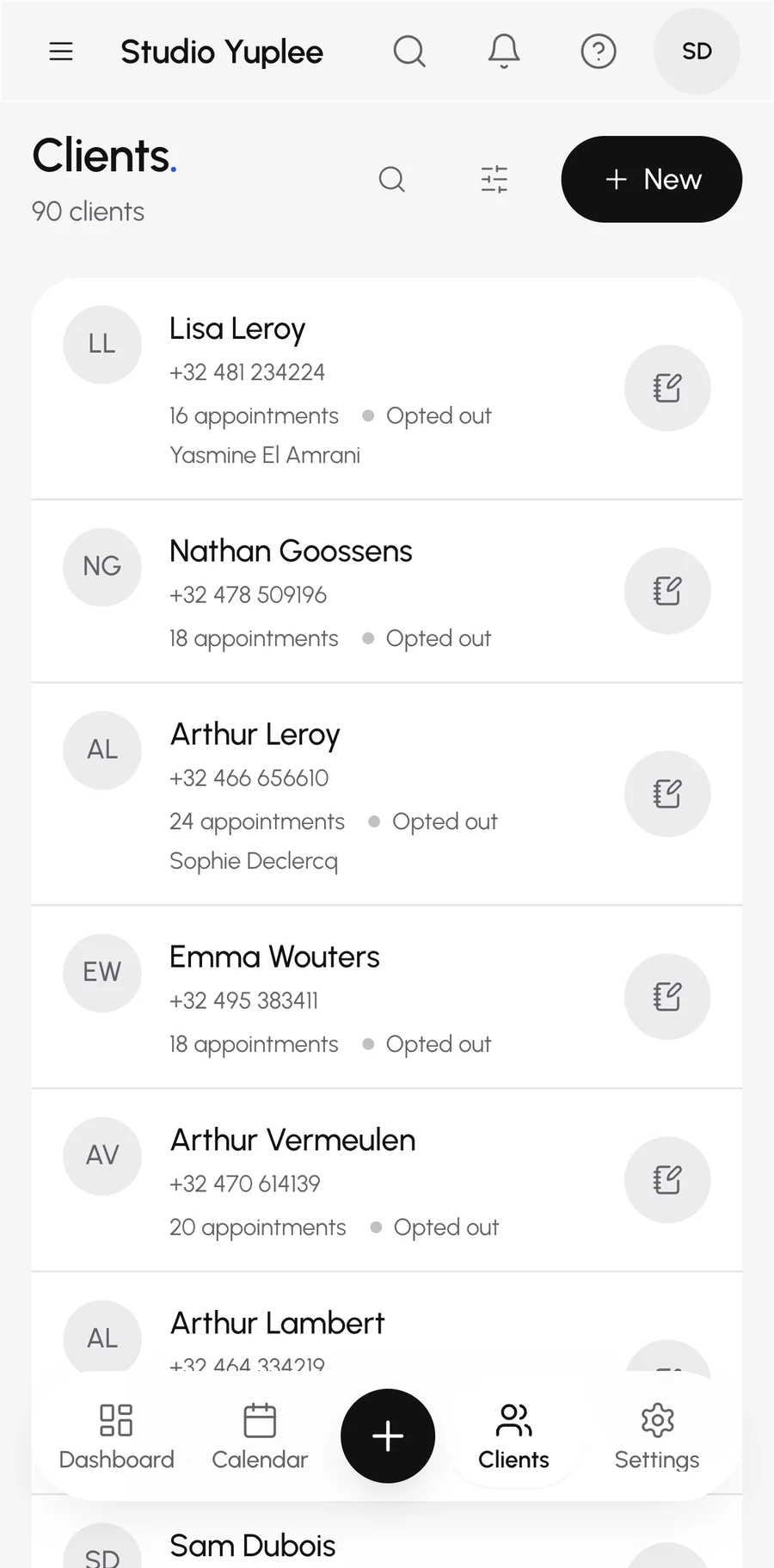
Through your link, a QR code at the counter or in WhatsApp. Even while you're cutting.
Every barber has their own hours and treatments. Your client picks a regular barber or whoever is free first.
Cash, card, bank transfer or gift voucher, with a discount on one line or on the whole sale.
From your client's history, you book the next cut in one tap.
No app and no account. They book through your link or QR code, or in the conversation they already know. Booking an appointment yourself is always possible, of course.
More about AI in WhatsAppOnline booking, your calendar, your clients and your checkout cost nothing. You only pay if you switch the AI on and it books something for you.
How it worksYes. Your client picks a regular barber or the first one who is free. Every barber has their own working hours and time off.
Open the appointment and choose Check out. Treatment, client and barber are already filled in. Payment by cash, card, bank transfer or gift voucher.
Yes. From your client's booking history, you book the same treatment again in one tap.
Both. Your clients book online, and you manage your calendar, team, clients and checkout in one place.
Through a booking module on your website, a link or a QR code. You decide how far ahead and how late before the appointment they can book. And of course you can add an appointment yourself, for a client on the phone or at the front desk.
Yes, always. You add appointments, clients and treatments yourself, even while booking. You never depend on online booking or AI.
Yes. You choose per treatment whether to ask for a deposit. The money goes straight to your account.
Your salon is ready in about ten minutes.
No payment card needed · AI is optional