Online booking with a deposit
Your client picks a treatment and pays a deposit. The money goes straight to your account.

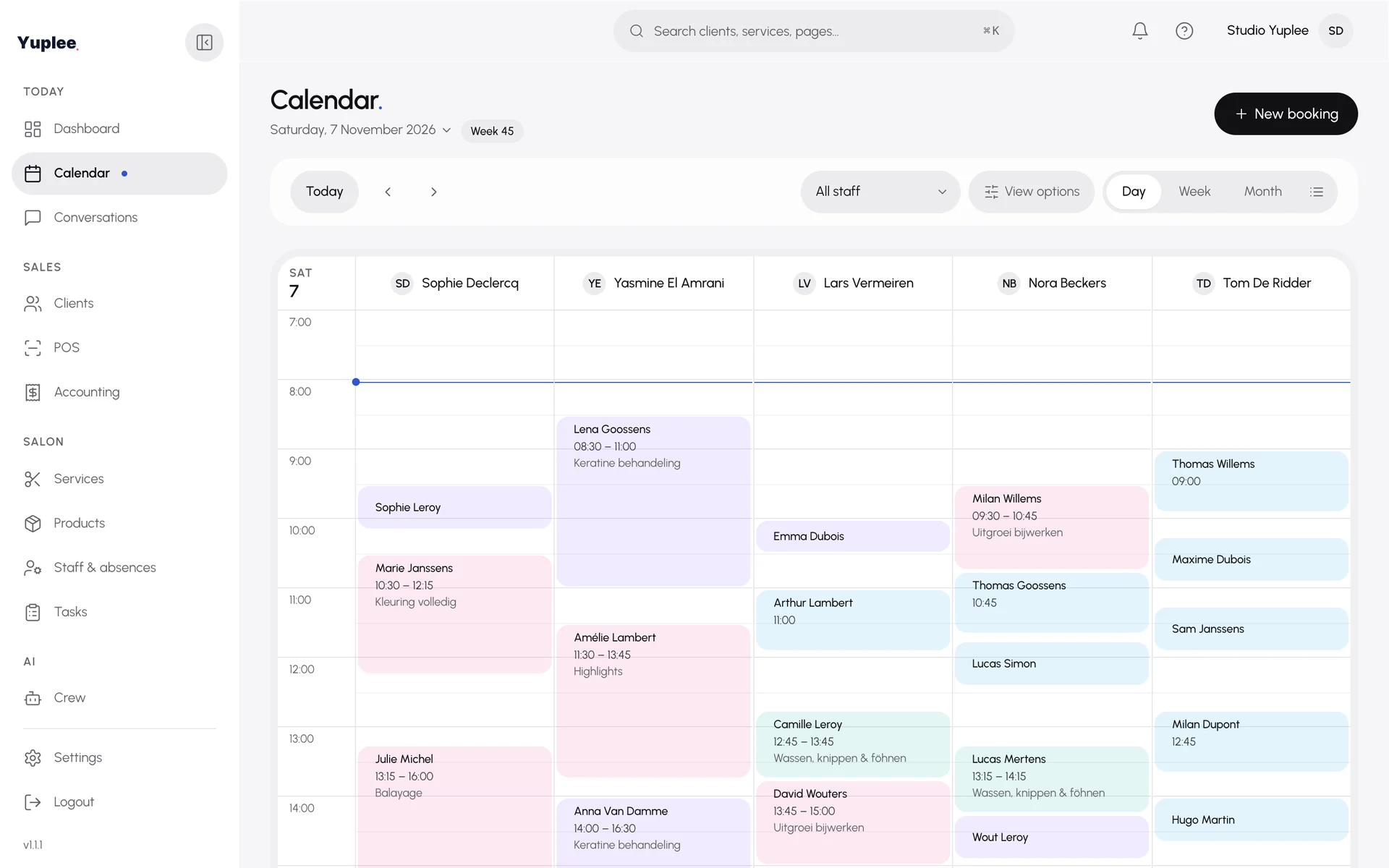
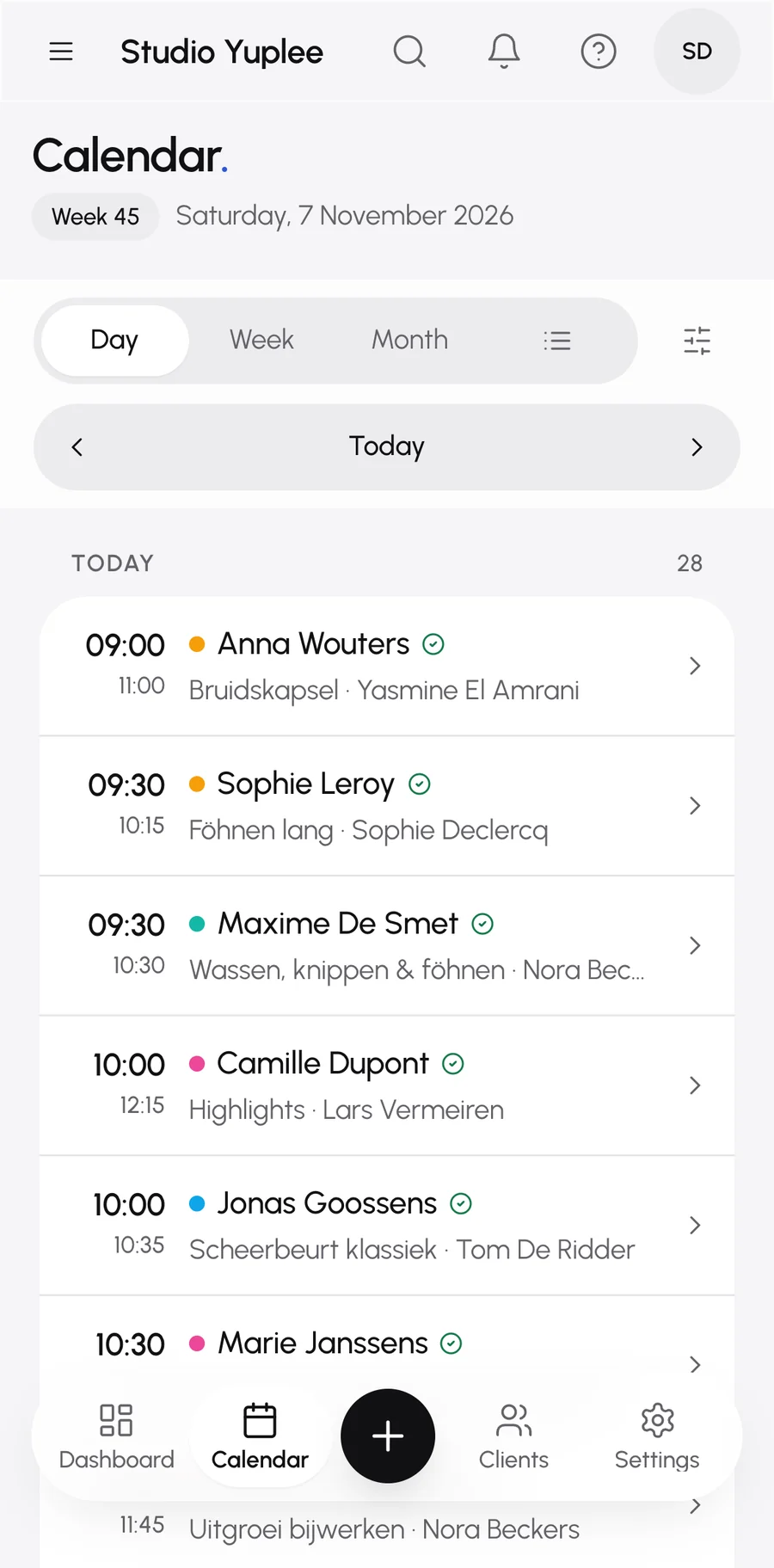
Every appointment arranged in advance, with a deposit if you want. So fewer chairs stay empty.
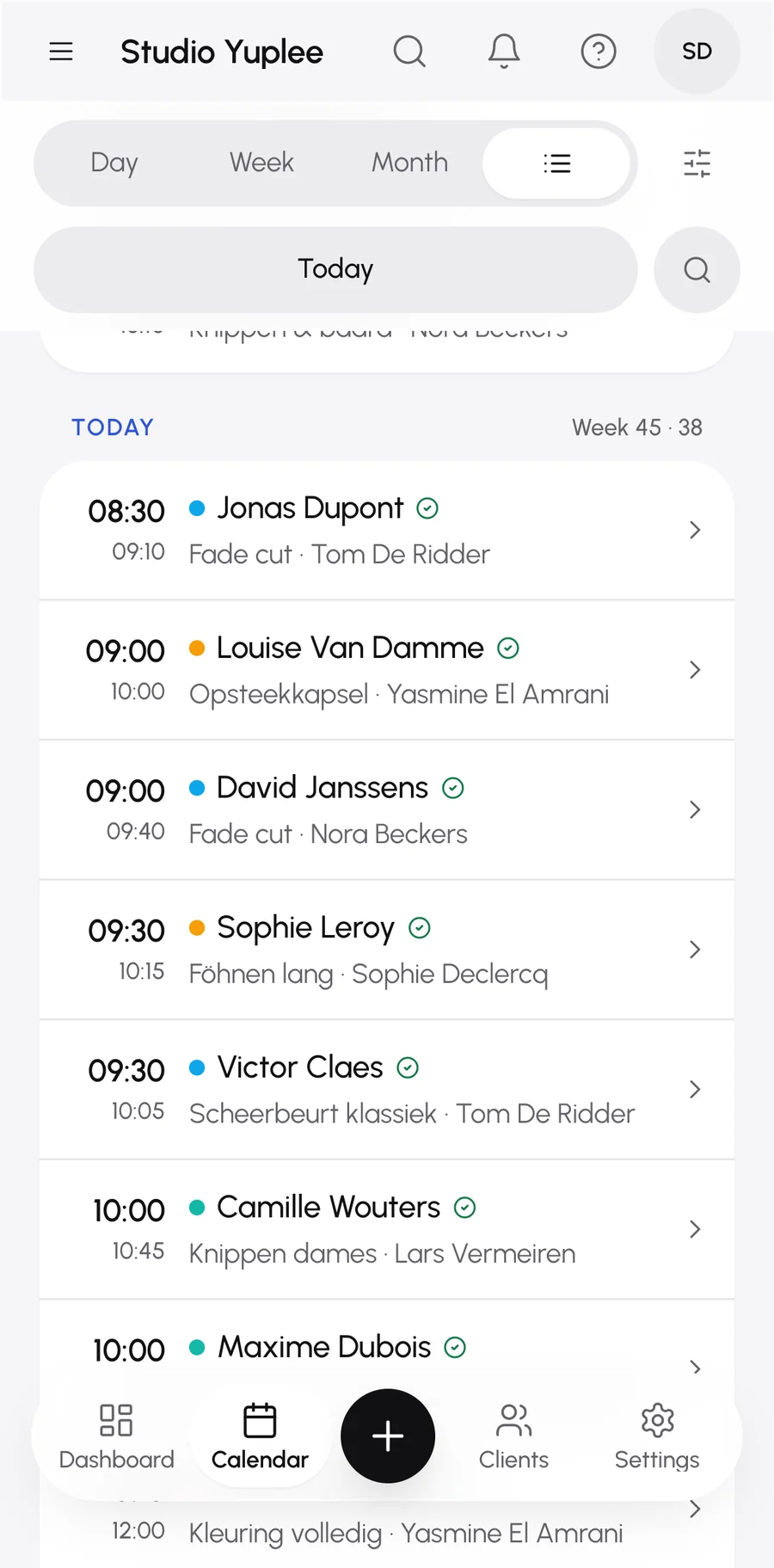
Paid online, per treatment or for your whole salon.
Your client immediately gets a confirmation by email or WhatsApp.
See how many appointments a client missed.
Preparation and clean-up time per treatment.
Your client picks a treatment and pays a deposit. The money goes straight to your account.
Buffer time before and after every treatment. Your client only sees the treatment time.
Preferences or allergies in the client profile, and a quick note without opening the profile.
Book the next appointment in one tap from the booking history.
No app and no account. They book through your link or QR code, or in the conversation they already know. Booking an appointment yourself is always possible, of course.
More about AI in WhatsAppOnline booking, your calendar, your clients and your checkout cost nothing. You only pay if you switch the AI on and it books something for you.
How it worksYes, per treatment or for your whole salon. Your client pays online when booking and the money goes straight to your account. Refunds can be made from your calendar.
Yes. Per treatment you set buffer time, before and after. Your client only sees the treatment time.
Yes. Per client you see how many appointments they missed, and you can filter on no-show risk.
Both. Your clients book online, and you manage your calendar, team, clients and checkout in one place.
Through a booking module on your website, a link or a QR code. You decide how far ahead and how late before the appointment they can book. And of course you can add an appointment yourself, for a client on the phone or at the front desk.
Yes, always. You add appointments, clients and treatments yourself, even while booking. You never depend on online booking or AI.
Yes. You choose per treatment whether to ask for a deposit. The money goes straight to your account.
Your salon is ready in about ten minutes.
No payment card needed · AI is optional