Clients book with whoever they want
Through the booking page, a link, a QR code or in WhatsApp. Only that stylist's free times are shown.

Several self-employed stylists under one roof, or do you rent out chairs? One calendar and one booking page for the salon. Everyone has their own login and their own cash book.
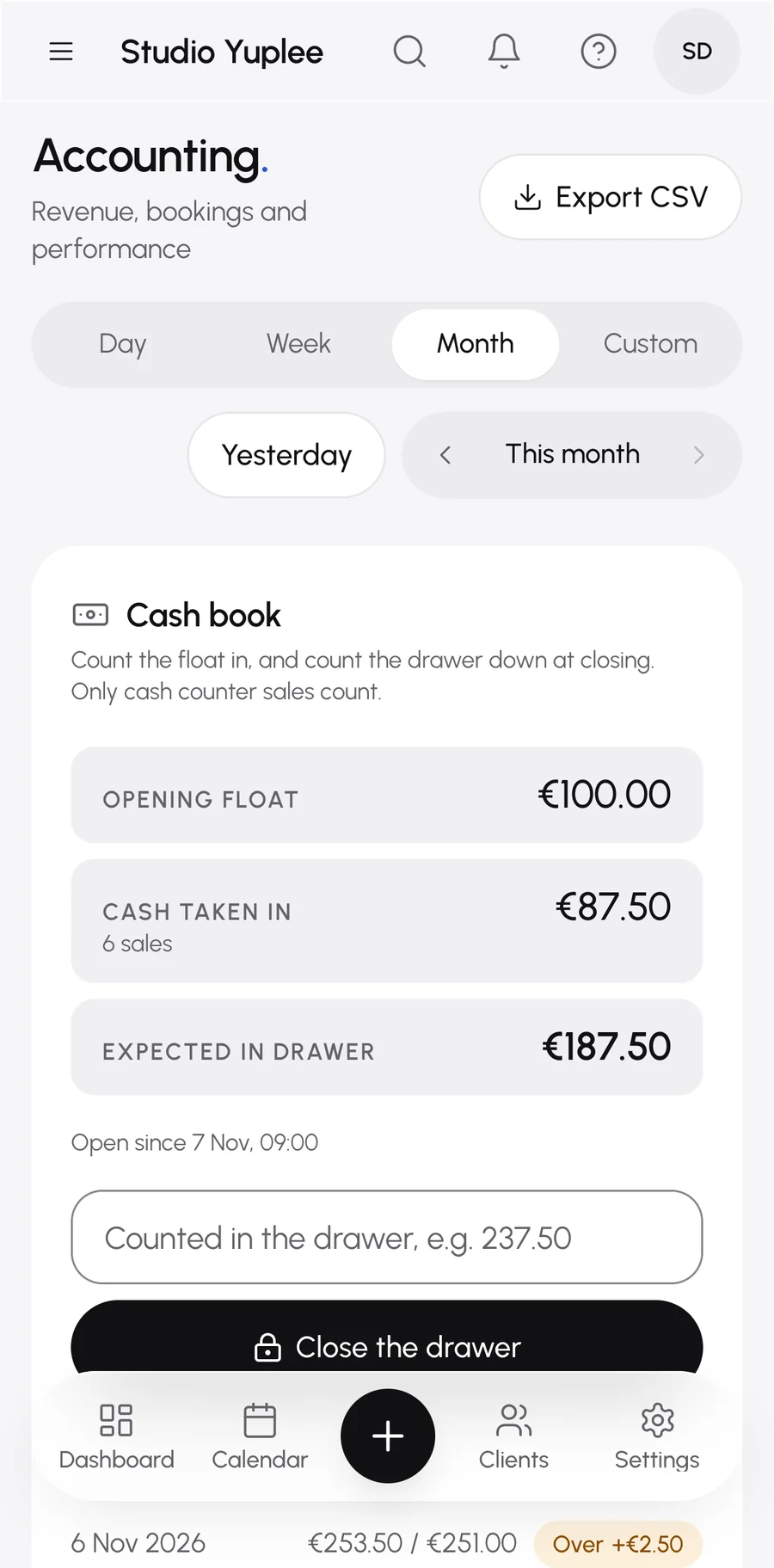
Everyone closes their own till and sees their own sales.
Everyone picks themselves and checks out with their own code. The sale lands in the right cash book.
A team member sees the calendar and their own till, not the figures of the others.
Your client chooses who to book with. Everyone has their own working hours, services and absences.
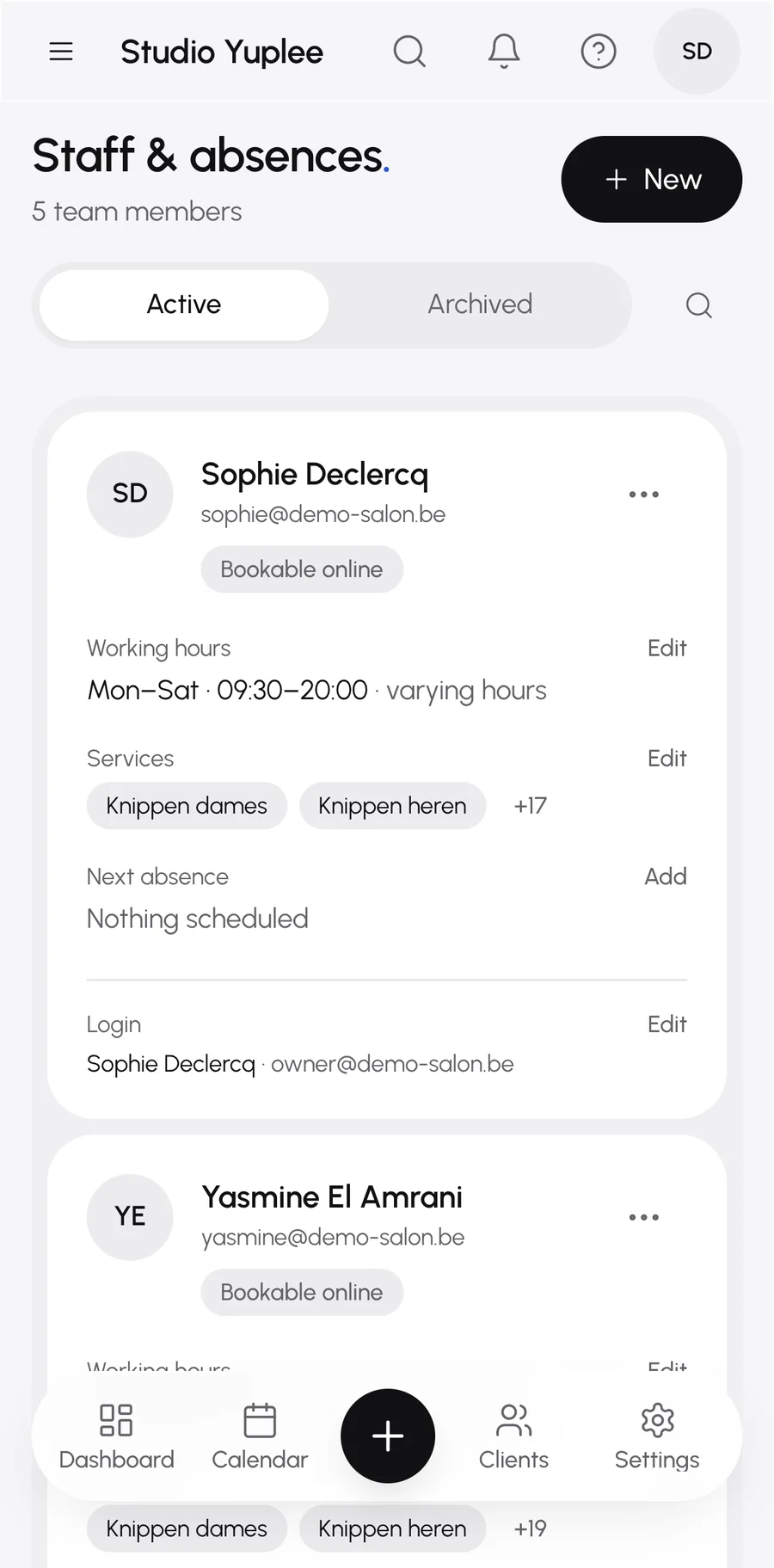
Through the booking page, a link, a QR code or in WhatsApp. Only that stylist's free times are shown.
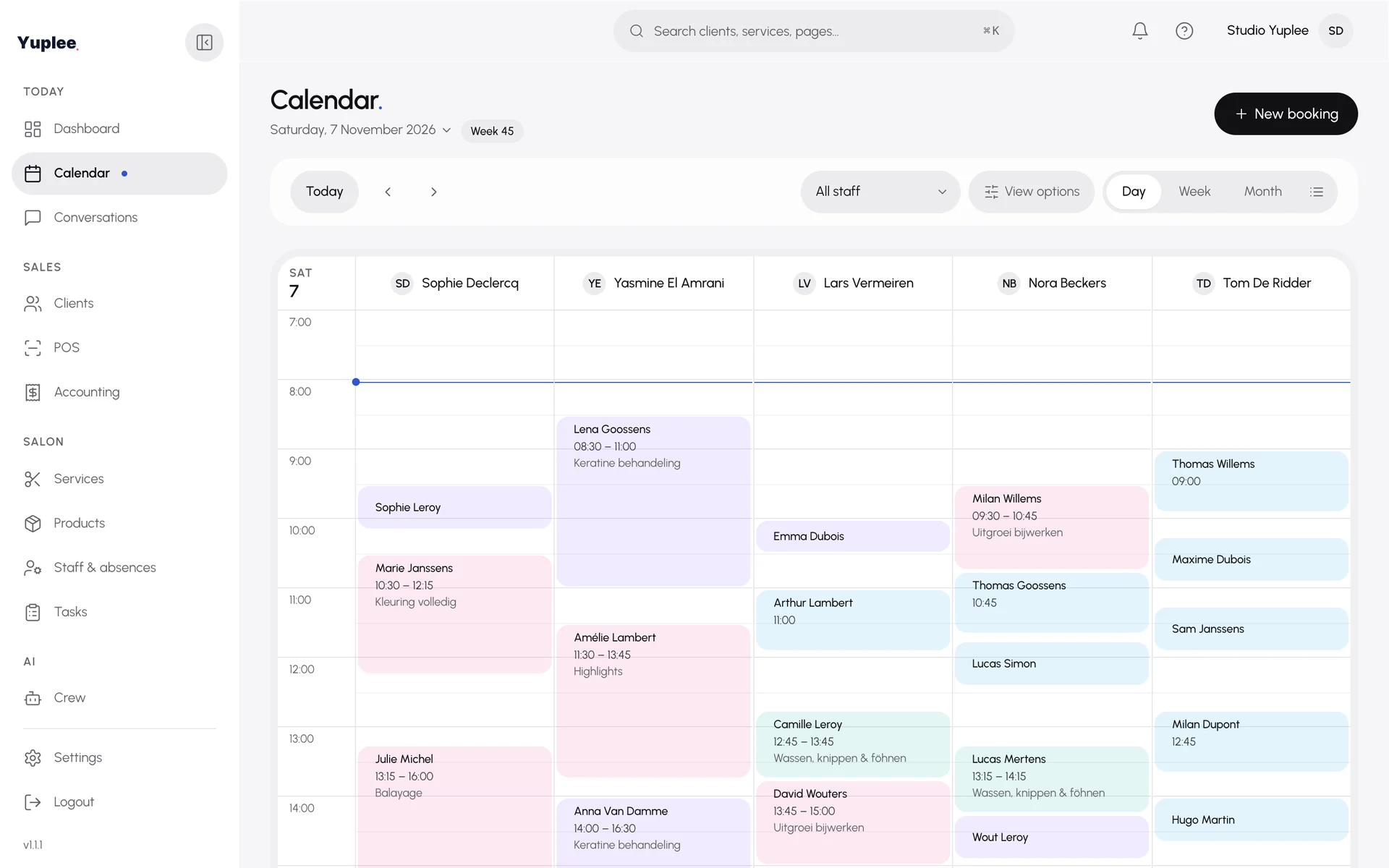
All stylists side by side. Everyone sees what is planned today.
Pick yourself, tap in your code and check out. The sale lands in your cash book.
Count your float in and your drawer out. You see right away what you took in.
In a chair rental salon everyone keeps their own books. Switch on that the owner needs the code too, and every cash book truly stays with its owner.
More about the tillOnline booking, the calendar, your clients and the till are free, for your whole team. You only pay if you switch on the AI and it books something for you.
How it worksYes. Anyone with their own login gets their own cash book with their own code. If you as the owner should need that code too, switch it on under Settings › Access. Handy for chair renters and partners.
Not with the Team member role. It sees the till, the calendar and its own cash book, but no other cash books and no salon figures. Owners and managers do see everything.
No. Online booking, the calendar, your clients and the till are free for your whole team. You only pay if you switch on the AI, and then only for the appointments the AI books for you.
Both. Your clients book online, and you manage your calendar, team, clients and checkout in one place.
Through a booking module on your website, a link or a QR code. You decide how far ahead and how late before the appointment they can book. And of course you can add an appointment yourself, for a client on the phone or at the front desk.
Yes, always. You add appointments, clients and treatments yourself, even while booking. You never depend on online booking or AI.
Yes. You choose per treatment whether to ask for a deposit. The money goes straight to your account.
Your salon is ready in about ten minutes.
No payment card needed · AI is optional