Before you open
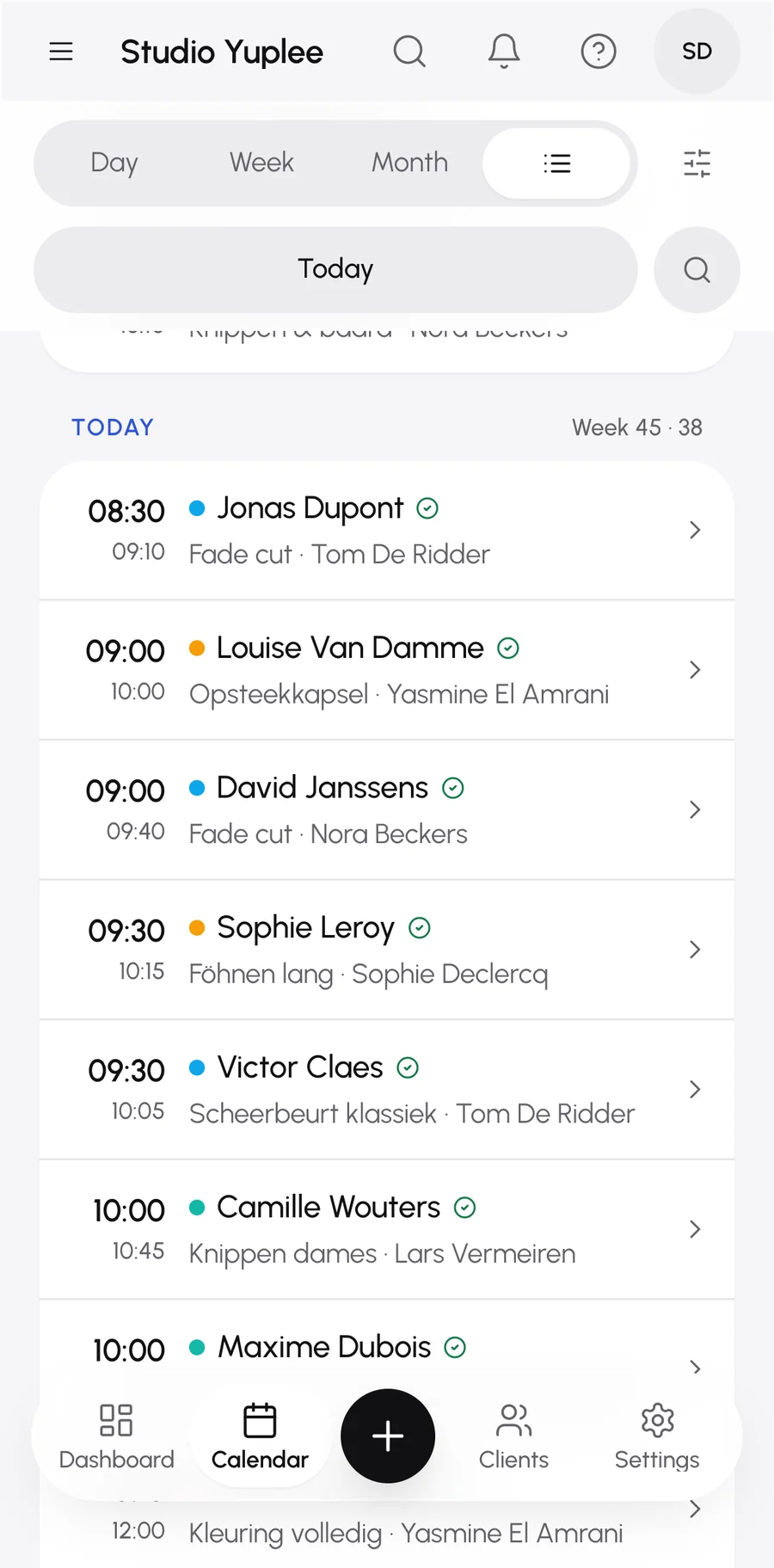
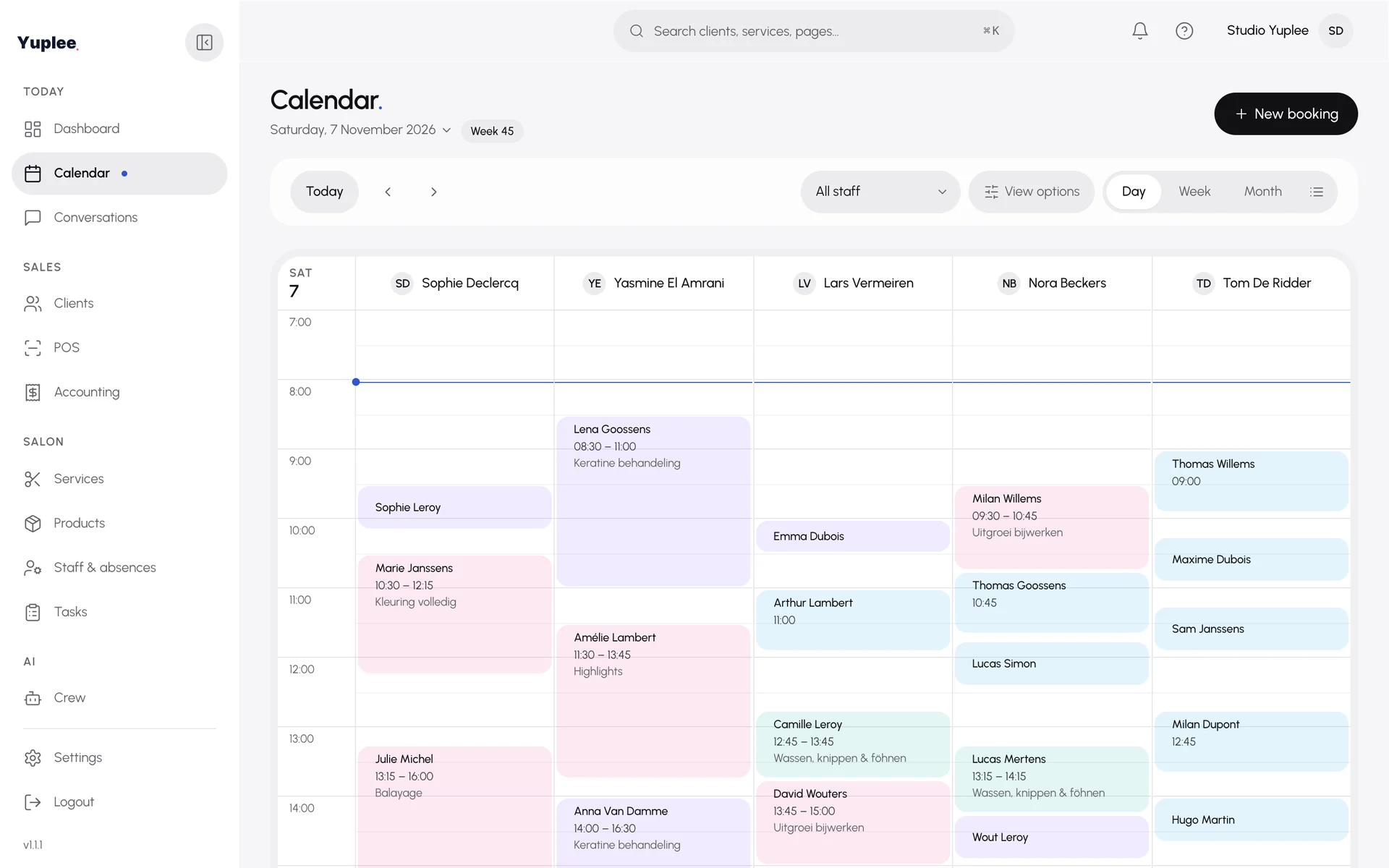
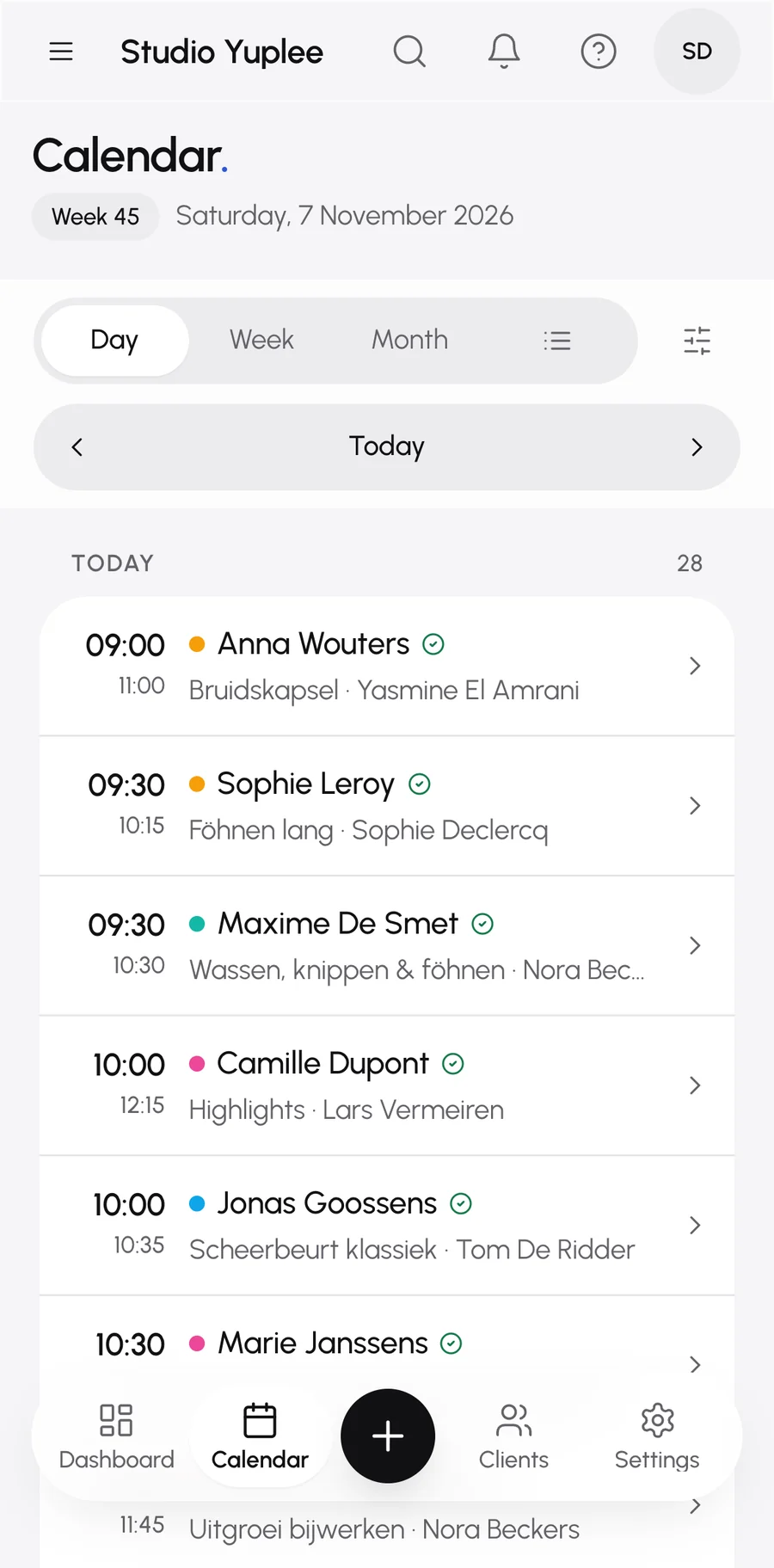
You see the day per team member side by side, with last night's online bookings already in it.

Long colour appointments, quick cuts and a busy Saturday. Your calendar keeps track of it all, your clients book themselves.
Short, medium or long, each with its own price and duration.
Book someone else during the waiting time of a colour treatment.
Own hours, holidays and treatments per team member.
The treatment, client and team member are already filled in.
You see the day per team member side by side, with last night's online bookings already in it.
During a colour's processing time, you cut another client. The calendar takes it into account.
You book the next appointment right away, or add a new client without interrupting the booking.
From the appointment: treatment, client and team member are already filled in. You add products.
No app and no account. They book through your link or QR code, or in the conversation they already know. Booking an appointment yourself is always possible, of course.
More about AI in WhatsAppOnline booking, your calendar, your clients and your checkout cost nothing. You only pay if you switch the AI on and it books something for you.
How it worksYes. For a treatment with processing time, you set when the pause starts and how long it lasts. In that time, you book another client.
Yes. They pick a regular team member, or anyone who is available. Per team member, you decide whether they can be booked online.
With the systems we support, you bring clients, team, treatments and calendar along in one go. Using another system? Tell us which one. We'll tell you honestly what's possible. Read how switching works.
Both. Your clients book online, and you manage your calendar, team, clients and checkout in one place.
Through a booking module on your website, a link or a QR code. You decide how far ahead and how late before the appointment they can book. And of course you can add an appointment yourself, for a client on the phone or at the front desk.
Yes, always. You add appointments, clients and treatments yourself, even while booking. You never depend on online booking or AI.
Yes. You choose per treatment whether to ask for a deposit. The money goes straight to your account.
Your salon is ready in about ten minutes.
No payment card needed · AI is optional